
Purpose of this document:
How we push booked-appointment, signed-job, and revenue data from any home-service CRM back into Google Ads, so the algorithm optimizes against actual outcomes instead of raw form fills and answered calls. The architecture is universal. Same setup regardless of CRM.
Why this exists
Default Google Ads conversion tracking treats every form fill and every answered call as a win. That’s the simplest possible signal, and it’s wrong in ways that cost the client money. A junk caller hanging up after 8 seconds is a “conversion.” A form fill from outside the service area is a “conversion.” A homeowner who books an estimate then no-shows is a “conversion.” A homeowner who books, shows up, and walks away from the quote is a “conversion.” Each of those fires Google’s default conversion action, and the bidding algorithm cheerfully spends more budget chasing more of whatever LOOKS like a conversion. In a typical home-services account, 50-60% of tracked “conversions” never become paying jobs. The client pays for that gap in wasted ad spend.
The fix is to feed Google deeper signals. Not just “someone called” but “someone called AND we booked them AND they signed the contract AND they paid.” Each deeper signal filters out a different kind of noise. Each one teaches the bidding algorithm to find more of what actually pays.
That’s the depth method. Four stacking phases. You don’t replace Phase 1 with Phase 2. You add Phase 2 on top. Same for Phase 3 and Phase 4.
Phase 2 is realistically 90% of the work in this playbook.
Phase 1 ships at launch via the onboarding playbook. Nothing here changes that. Phase 2 is the lift: an agency-controlled GHL sub-account to build, Layer 1 wiring per the client’s CRM, Layer 2 wiring done once across the roster, verification testing, weekly reconciliation. Once Phase 2 is running cleanly, Phase 3 (signed contracts) and Phase 4 (revenue) reuse the same plumbing. They’re additional conversion actions wired to additional CRM events, not new architectures. Roughly a day’s work each on top of Phase 2. Most clients stop at Phase 2 for the first quarter. Phase 3 and Phase 4 are separate decisions, made later, when data discipline is locked in.
The benefit shows up in three places.
Bidding gets sharper. Smart Bidding strategies (tCPA, tROAS) need clean outcome data to learn against. Phase 2+ gives the algorithm that. You can also see which ad groups, keywords, and geos produce leads that book vs. leads that vanish, and reallocate budget accordingly. That’s reporting Phase 1 alone can’t give you.
Reporting gets honest with the client. Instead of “we generated 47 leads this month” you can show “those 47 leads produced 19 booked appointments, 11 signed jobs, and $X in attributed revenue.” That’s a different conversation, and it’s the conversation that gets agencies renewed.
Cost-per-lead becomes cost-per-paying-customer. Internally and with the client. You stop arguing about lead quality in the abstract and start showing the funnel. Every meeting becomes shorter.
The trade-off is honest too. You pay for the depth in setup time, CRM integration cost, and ongoing data hygiene. If the client’s CRM data is sloppy (appointments unmarked, stages inconsistent, job values blank) the signal you feed Google is noise, and you’ve spent the agency hours for nothing. Phase 2 is worth shipping when the client has 30+ booked appointments a month AND data discipline you trust. Otherwise stay at Phase 1 and revisit in a quarter.
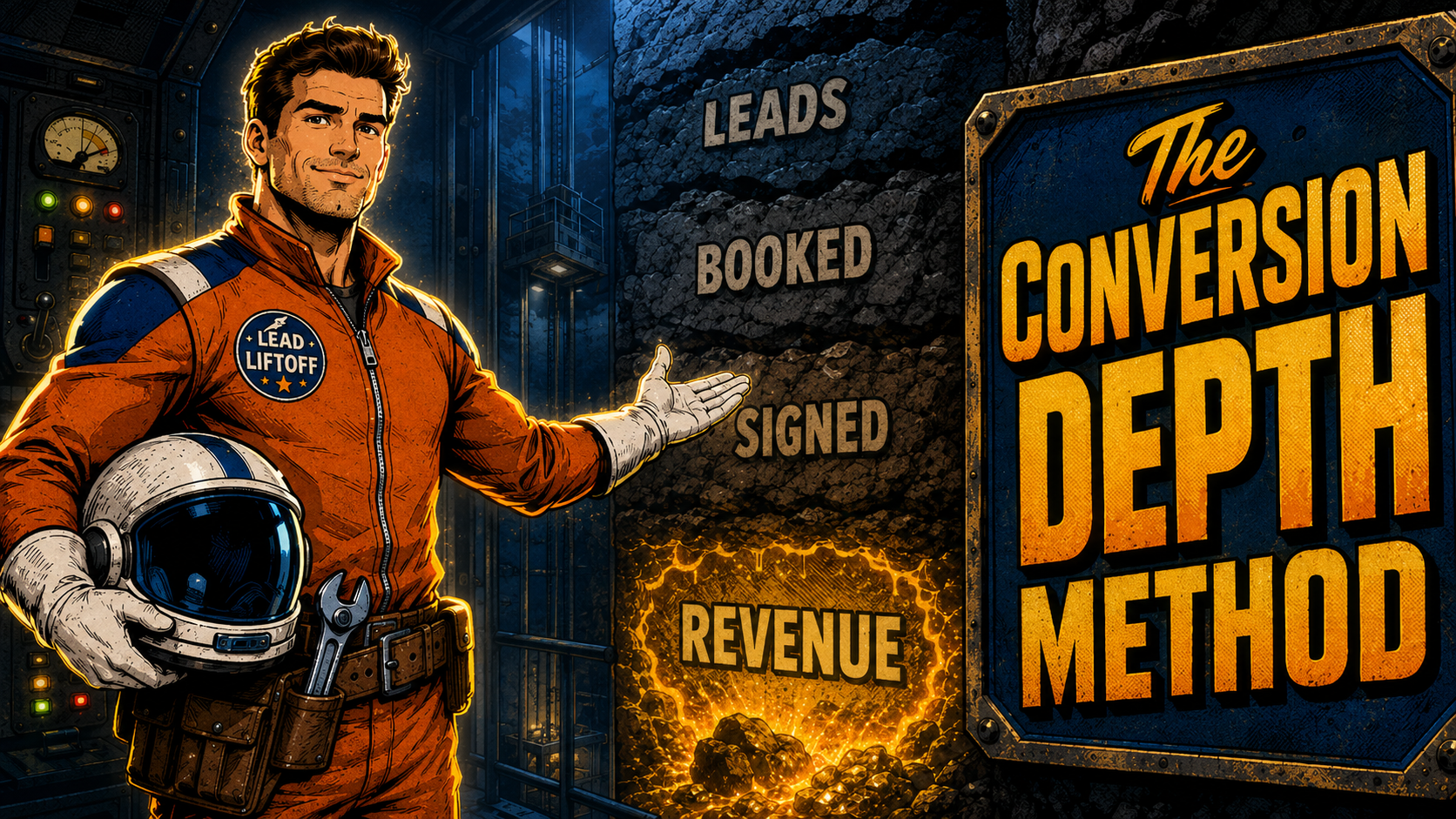
The Conversion Depth Method
Four phases, stacked.
| Phase | What fires as a conversion | When you ship it |
|---|---|---|
| Phase 1 | Raw lead (form fill, call answered) | At launch. Already in place from the onboarding playbook. |
| Phase 2 | Booked appointment (homeowner is on the calendar for an estimate visit) | Once Phase 1 has 30+ days of clean data and the client has a CRM that reliably marks bookings. |
| Phase 3 | Booked job (homeowner signed the contract after the estimate visit) | Once Phase 2 is running cleanly AND the client’s CRM tracks signed jobs distinctly from scheduled estimates. Skip Phase 3 if the client doesn’t have a meaningful gap between “scheduled” and “signed” (drain cleaning, emergency repair, no-estimate flows). |
| Phase 4 | Closed-deal revenue (with dollar value, attached to the signed job) | Once Phase 3 (or Phase 2 for no-estimate flows) is running cleanly for 60+ days and the client reliably logs job-close values. |
When to skip Phase 3.
Phase 3 only adds signal when the client’s sales process has a real gap between “we scheduled an estimate” and “they signed the contract.” Roofing replacements, exterior renovation, HVAC system installs, kitchen and bath remodels: yes, ship Phase 3. Drain cleaning, emergency plumbing, simple HVAC repair, anything with a same-day decision: no, skip Phase 3 and treat Phase 2 (job on the calendar) as the commit event, then go straight to Phase 4 (revenue) on invoice paid.
The setup, layer by layer
This section walks through the conceptual setup for each phase. The technical wiring (which architecture, which middleware, which CRM event) is detailed later. Here we’re answering “what does each phase require to fire?”
Assume you’re starting from zero. No conversion tracking in place yet.
Phase 1: web form tracking + CallRail (the launch-day baseline)
Phase 1 is the conversion-tracking layer every Google Ads account needs to function at all. It fires raw-lead events: form submitted, call answered. You set it up once at account launch and rarely touch it again.
Three pieces:
- Web form tracking. The agency landing-page template fires a form-submission event into Google Ads when a homeowner fills out the form. Implemented via the Google tag (gtag) or Google Tag Manager. The form is configured to capture GCLID as a hidden field. This matters later for Phases 2-4 because GCLID is the join key that ties offline events back to the original ad click.
- Call tracking via CallRail Direct Connect. Every call to a tracked phone number fires a call conversion into Google Ads natively via CallRail. CallRail captures the GCLID for paid clicks and ties it to the call. Two conversion actions auto-created in Google Ads:
CallRail - First-time callerandCallRail - Repeat caller. - (Optional) Google Business Profile call-extension tracking. If GBP is wired to Google Ads via call extensions, additional call conversions fire from the GBP listing on profile views and direct calls.
If Phase 1 isn’t set up, start with the onboarding playbook (Phase 6: CallRail wiring, and Phase 7: web conversion tracking) before continuing here. Phases 2-4 assume Phase 1 is live AND capturing GCLID cleanly on both the form path and the call path. Without that GCLID capture, the deeper phases have nothing to attribute back to.
Phase 2: depth signal from the CRM (the 90% lift in this playbook)
Phase 2 fires when a raw lead becomes a booked appointment. The depth jump is significant. You stop counting form fills and start counting calendar slots.
For Phase 2 to work, three things have to be true:
- The CRM receives the GCLID at lead creation. So Google Ads can match the appointment back to the original click. The GCLID flows in from Phase 1’s capture path (landing-page form, CallRail).
- The CRM fires an event when a lead moves to “booked appointment” status. Native webhook, polling API, or manual trigger. The full list of prerequisites is in the 4 Universal CRM Requirements section below.
- A pipe carries that event into Google Ads. This is the architecture decision. The canonical pipe uses a GHL sub-account as the universal bridge (see The Architecture below). Two alternates exist (Manual CSV, Native CRM integration) for cases where the canonical doesn’t fit.
This is realistically 90% of the work in this playbook. Most of what follows (the alternate methods, the architecture, the 4 universal CRM requirements, Step 1, Step 2, Step 3, verification, reconciliation, troubleshooting) exists to make Phase 2 work cleanly. Once Phase 2 is running, Phases 3 and 4 are small additions on the same plumbing.
Phase 3: signed-contract event from the CRM (optional, for estimate-flow services)
Phase 3 fires when the homeowner signs the contract after the estimate visit. Same architecture as Phase 2. Different CRM event.
Most CRMs have a distinct “approved” or “won” status that fires when the customer commits to the work, separate from when the appointment was scheduled. HCP has estimate.approved. Jobber has quote_approved. ServiceTitan has job.status = sold. Each maps to “homeowner signed.”
Skip Phase 3 entirely if:
- The client’s CRM doesn’t differentiate “scheduled” from “signed” (rare but happens with simpler CRMs)
- The client’s business doesn’t have a meaningful gap between scheduled and signed (drain, repair, emergency: same-day-decision categories)
Otherwise, Phase 3 is a high-value addition for roofing, exterior, HVAC install, kitchen/bath remodels. The conversion ratio from Phase 2 (scheduled) to Phase 3 (signed) is often the most predictive single metric for ad-spend quality.
Phase 4: revenue event from the CRM (optional, conditional)
Phase 4 fires when the invoice is paid. The conversion value passed to Google Ads is the actual dollar amount.
For Phase 4 to work, three things:
- The CRM captures the dollar value of the closed deal. Typically on the invoice or job record. If close values are inconsistent or blank, skip Phase 4. Bad value data is worse than no value data because the algorithm will optimize for the wrong target.
- An event fires when the value is finalized. Typically
invoice.paidor equivalent. - The same pipe as Phase 2 and Phase 3. No new architecture.
Phase 4 only makes sense once Phase 2 (and Phase 3 if applicable) has been running cleanly for 60+ days AND the client is on or moving to tROAS bidding, where revenue value actually influences the algorithm. Below that bar, Phase 4 is reporting flavor at best.
Alternate methods
The canonical method (covered in The Architecture and Step 1 through Step 3 below) uses a GHL sub-account as a universal bridge between the client’s CRM and Google Ads. It’s the method this playbook uses for every client. Two fallback methods are documented here for the specific cases where the canonical doesn’t fit. A third escape path (custom Google Ads API build) is documented at the bottom under “When to escape to a custom Google Ads API build.”
Default is the GHL bridge.
The GHL method wins on agency scale. Layer 2 is built once and stamped across the roster. Pipeline hygiene is centralized. The fallbacks below are real options, not equals. Reach for them only when the criteria are met. If the agency manages fewer than 3 clients, the consistency-at-scale benefit doesn’t justify the overhead and the fallbacks may be the better default.
Fallback A: Manual monthly CSV upload
The deep fallback. Maps to the baseline method taught in Local Google Ads Mastery M11.
- When to use it:
- Client volume is so low (under 10 jobs per month) that automation overhead isn’t worth it.
- Client refuses API or integration access entirely.
- You’re bootstrapping Phase 1 confidence before investing in the full pipeline build.
- You need a verification path while diagnosing why the automated pipeline isn’t firing.
- How it works: Client (or you) maintains a Google Sheet or CRM export with one row per booked appointment. Required columns:
gclid,conversion_name(must match the Google Ads conversion action name exactly, case-sensitive),conversion_time(YYYY-MM-DD HH:MM:SS),conversion_value(optional). Upload monthly via Google Ads → Goals → Conversions → Uploads. - Trade-off: Zero infrastructure. But monthly granularity is too coarse for Smart Bidding to learn cleanly. Use for reporting. Do NOT promise a CPA improvement until you’ve moved to the automated pipeline.
- When NOT to use it:
- Any client on Smart Bidding (tCPA, tROAS). Monthly cadence starves the algorithm.
- More than ~3 clients in your roster. Manual upkeep doesn’t scale.
- Phase 4 revenue tracking at volume. Value-tagged uploads are too error-prone manually.
Fallback B: Client’s native CRM → Google Ads integration
The “don’t break what works” fallback.
- When to use it:
- The client has HubSpot’s Ads Add-On, Salesforce’s native Google Ads integration, or similar, already set up and running cleanly for 6+ months.
- The client’s CRM admin owns and maintains the integration and would resist any change.
- The agency is taking over a client account where the existing pipeline is the existing pipeline.
- How it works: Use the CRM vendor’s documented Google Ads integration as-is. Skip Step 1 (GHL sub-account), skip the Layer 1 wiring in Step 2 for that CRM. Verify that Phase 2, Phase 3, and Phase 4 conversion actions exist in Google Ads under whatever names the CRM uses. Skip the Layer 2 wiring in Step 3.
- Trade-off: Zero agency build cost for that one client. But you’ve now bypassed the canonical method for one client out of the roster, which means the playbook’s Layer 2 doesn’t apply, the GHL workflows in Step 1 don’t fire, and inconsistency creeps in. Document it explicitly in the client config so the next operator doesn’t get confused.
- When NOT to use it:
- Greenfield setups where you control the architecture from day one. Use the GHL bridge instead.
- Mid-roster standardization passes where consistency is the entire goal.
- Any HubSpot or Salesforce install where YOU are the admin. Route through GHL.
Once one of the fallbacks is committed to, the rest of this playbook (Step 1, Step 2, Step 3, verification, troubleshooting) only partially applies. Treat the fallback as a documented deviation, not as a parallel canonical path.
The architecture
Two layers. One client-specific (Layer 1). One identical across the roster (Layer 2). The boundary between them is the GHL sub-account we build for every client.
┌──────────────────────────┐   Layer 1     ┌──────────────────────────┐   Layer 2    ┌──────────────────────┐
│ Client's existing CRM    │  (Zapier,     │ Client's GHL sub-account │  (GHL Add    │ Google Ads           │
│ (Jobber / ServiceTitan / │   Make.com,   │ (agency-built,           │  to Google   │ Conversion Actions   │
│  HCP / HubSpot / etc.)   │   GHL native, │   agency-controlled.     │  Ads native  │ Booked Appointment   │
│ OR no CRM (CSV/Sheet)    │   or CSV)     │ Contact + opportunity    │  workflow    │ Booked Job           │
│                          │ ─────────────▶│ pipeline, GCLID stored.) │  action)     │ + Revenue (later)    │
└──────────────────────────┘               └──────────────────────────┘ ────────────▶└──────────────────────┘
                                                  │   ▲
                                                  │   │
                                                  │   │   CallRail Direct Connect already pushes
                                                  ▼   │   raw call conversions independently. See
                                              GHL workflow  the onboarding playbook Phase 6.
                                              triggers fire
                                              the conversion
Why this shape:
- Layer 1 absorbs all per-client variance. Every CRM is different. By treating the GHL sub-account as the single destination, you isolate the “what does this CRM look like” problem to one layer. Layer 2 never has to care.
- Layer 2 is built once. Same configuration pattern, same workflow scaffolding, same Google Ads conversion actions. Build it for client number 1. By client number 6 you’re not designing anything, you’re stamping out a template.
- The agency owns the bridge. The GHL sub-account is configured, automated, and maintained by us. The client doesn’t have to remember to tap a button or update anything for the pipeline to work. Their job is just to use their own CRM normally.
- CallRail stays where it is. Phone-call conversions continue to fire from CallRail Direct Connect into Google Ads, untouched. The new pipeline adds DEPTH (which calls produced bookings, which bookings produced revenue), not a replacement for the call signal itself. Critical: CallRail’s conversion action and the GHL pipeline’s
Booked Appointmentaction stay as SEPARATE conversion actions in Google Ads. Never merge them. A single call that produces a booking fires BOTH conversions, and that is intentional. They represent different conversion depths, and Smart Bidding can weight them separately via each action’s “Include in ‘Conversions’” toggle.
The 4 universal CRM requirements
Before committing to wire any client’s CRM, verify all four. If any is missing and unfixable, fall back to the CSV/Google Sheet recipe in Step 2.
1. GCLID capture
The CRM must be able to store the Google Click Identifier on every lead record. The GCLID arrives as a URL parameter (?gclid=...) on the landing page and has to be passed into the CRM at the moment the lead is created. Without GCLID, Google Ads has no way to match the offline conversion event back to the original click. The whole pipeline depends on this.
How this typically happens:
- Landing page form captures GCLID as a hidden field (the agency landing-page template already does this).
- Form submission writes the GCLID into a custom field on the CRM contact record.
- For phone-call leads, the GCLID is captured by CallRail and stored on the CallRail contact, then forwarded to the CRM via CallRail’s CRM integration or via a webhook to GHL.
If the CRM has no custom-field support, no URL-parameter capture, and no way to receive GCLID from a webhook, that’s a blocker. Move to the CSV fallback.
2. Status-change event source
Something in the CRM has to fire when a lead moves from “raw lead” to “booked appointment” (and later, to “closed deal”). Three common shapes:
- Native webhook on stage/status change. Cleanest. Fires real-time. Jobber, HubSpot, ServiceTitan, HCP all support this.
- Polling via API. The middleware checks the CRM every N minutes for status changes. Higher latency, more complex, more API quota usage.
- Manual trigger (CSV upload, Sheet edit). For clients who don’t use a real CRM. Slowest signal, but works.
If a CRM has neither webhooks nor a usable API, Layer 1 has to fall back to manual export-and-upload. That’s the no-CRM recipe.
3. Value capture (Phase 4 only)
For Phase 4 (revenue tracking), the CRM has to record the dollar value of the closed deal somewhere, typically on the opportunity/job record. For Phase 1, Phase 2, and Phase 3, you can run without this. Value is optional on those phases, and the conversion action can be configured to use a flat estimate or “no value” mode.
If Phase 4 is the goal but the client doesn’t reliably enter close values, stop at Phase 3 (or Phase 2 for no-estimate flows). Bad value data is worse than no value data.
4. Read access
We need API credentials, an OAuth connection, or webhook access to read events out of the CRM. If the client refuses to grant access, the only fallback is the manual CSV/Sheet recipe, which puts the data-discipline burden on the client and tends to break.
Step 1: Build the GHL sub-account
Three things have to be true before this is worth doing
- The client is on Smart Bidding, or about to be. On Maximize Clicks with a Max CPC cap, the bid engine isn’t consuming conversion-quality data, it’s bidding on click probability. You can still wire the pipeline for reporting, but don’t promise a CPA improvement until they’re on Smart Bidding. See Optimization Overview for the bidding context.
- The conversion volume floor is met for the bidding strategy you’re targeting. Phase 2 into tCPA (Target CPA) needs at least 30 booked-appointment conversions per month per campaign, 50+ ideal. Phase 4 into tROAS (Target ROAS) needs at least 50 closed-deal conversions per month per campaign WITH value-data variance. If the client is producing 4-6 booked appointments monthly, skip Smart Bidding entirely. Use Phase 2 through Phase 4 for reporting only and stay on Maximize Clicks.
- The client (or you) can keep CRM data clean. Bad data is worse than no data. If the client uses their CRM erratically, marks appointments inconsistently, forgets to update job-close values, or has duplicate contacts, the data flowing back to Google Ads is noise. Google will happily optimize against that noise.
The sub-account is the universal data layer. Even for clients who already use GHL as their CRM, we build a SEPARATE agency-controlled sub-account for ad-conversion routing. Don’t try to share a sub-account between “client’s day-to-day CRM” and “agency conversion pipeline.” Conflating them creates pipeline-hygiene problems that show up months later.
What you build inside the sub-account
1. Custom fields on the contact record.
| Field name | Type | Purpose |
|---|---|---|
Lead GCLID | Single line text | Stores the GCLID passed from landing page or call tracking |
Lead Source | Dropdown (Google Ads / CallRail / Form / Manual) | Lets you filter and segment for reporting |
Lead First Touch Timestamp | Date/time | When the contact was created (for attribution-window checks) |
Job Value Estimate | Currency | Phase 2 value, if using estimated ticket per service type |
Job Value Actual | Currency | Phase 4 value, populated when deal closes |
Enhanced Conversions for Leads (ECL) is the default now, not the escape path.
GHL Ad Manager natively supports ECL as of 2026. ECL sends hashed email + phone alongside GCLID to lift attribution coverage from roughly 25-40% (GCLID-only) up to roughly 85-95%. You do NOT need to create custom fields for the hashed values. GHL hashes the standard contact email and phone fields automatically at upload time. What this means for Layer 1: make sure your CRM-to-GHL bridge populates the standard
phonefields on every GHL contact. Both. Email alone or phone alone works but you leave attribution on the table. Enable ECL on each conversion action in Step 3c below.
2. Pipeline stages.
A single linear pipeline named Google Ads Conversion Pipeline (or similar). Stages:
| Order | Stage name | Maps to Google Ads conversion |
|---|---|---|
| 1 | New Lead | Phase 1 (raw lead), optional firing here |
| 2 | Qualified | None, internal triage stage |
| 3 | Booked Appointment | Phase 2 (Booked Appointment conversion fires here) |
| 4 | Booked Job | Phase 3 (Booked Job conversion fires here when the homeowner signs the contract). Skip this stage for no-estimate-flow clients. |
| 5 | Job Completed / Won | Phase 4 (Revenue conversion fires here with Job Value Actual) |
| 6 | Lost / No-Show | None, for cleanup |
This pipeline exists SOLELY to drive Google Ads conversions. It’s not the client’s sales pipeline. The client’s day-to-day CRM (if they have one) keeps doing its thing. Layer 1 automations mirror the relevant events into this pipeline.
3. Workflows (scaffolding only; Layer 2 fills in the conversion-firing logic).
- A workflow named
Layer 2: Fire Phase 2 Conversiontriggered by “Opportunity stage changed → Booked Appointment.” - A workflow named
Layer 2: Fire Phase 3 Conversiontriggered by “Opportunity stage changed → Booked Job.” Skip this workflow for no-estimate-flow clients. - A workflow named
Layer 2: Fire Phase 4 Conversiontriggered by “Opportunity stage changed → Job Completed / Won.”
You’ll wire the actual “Add to Google Ads” actions inside these workflows in Step 3.
Sub-account hygiene checklist
- Sub-account is named per agency convention:
{Client Name} - Google Ads Conversion Bridge - Agency admin team has admin access
- Client does NOT have access (avoids accidental edits to the conversion pipeline)
- Custom fields above are created
- Pipeline above is created with all 5 stages
- Both workflows are created and saved (even if Layer 2 isn’t wired yet)
- Sub-account is connected to the agency’s Google Ads MCC via the GHL Integrations panel (Settings → Integrations → Google Ads)
Step 2: Layer 1 by CRM
Pick the section that matches the client’s CRM. Each recipe follows the same template: how to capture GCLID, how to detect the booking event, what middleware to use, what fields to map. If the client’s CRM isn’t listed, skip to “Layer 1 for an unknown CRM” at the bottom.
Client is already on GoHighLevel
This is the easiest case but has one trap: don’t try to use the client’s existing GHL sub-account as the conversion bridge. Build a separate agency-controlled sub-account anyway (see Step 1) and bridge the two.
- GCLID capture: Landing page already passes
?gclid=...into aLead GCLIDcustom field on the client’s GHL contact record. If it isn’t, fix that first via the form-builder or landing-page integration. - Event source: GHL native webhook on opportunity-stage change.
- Middleware: GHL to GHL via webhook (no third-party tool needed). The client’s sub-account fires a webhook on “stage changed to Booked.” The agency’s sub-account receives the webhook, finds the matching contact (by phone or email), copies the GCLID, and moves their internal record into the
Booked Appointmentstage. - Field mapping: Contact phone/email = match key. GCLID copied to
Lead GCLID. Job value (if available) copied toJob Value Estimate.
Jobber
- GCLID capture: Jobber doesn’t have native URL-parameter capture, but it does support custom fields on the client record. Use the agency landing-page form to write the GCLID into a Zapier-mapped custom field at lead creation time.
- Event source: Jobber webhooks fire on
quote_approved,job_scheduled, andinvoice_paid. Usejob_scheduledfor Phase 2 (estimate visit on the calendar),quote_approvedfor Phase 3 (homeowner signed the quote), andinvoice_paidfor Phase 4. For no-estimate-flow clients, usejob_scheduledfor Phase 2 and skip Phase 3. - Middleware: Zapier or Make.com. Trigger = Jobber webhook. Action = HighLevel “Create/Update Opportunity” in the agency conversion sub-account.
- Field mapping: Jobber client phone/email = match key into GHL sub-account. Custom field
GCLID→Lead GCLID. Jobbertotalfield →Job Value Estimate(Phase 2, optional) orJob Value Actual(Phase 4, oninvoice_paid). - Gotcha: Jobber’s
totalon quote vs invoice can differ when there are change-orders. Decide which one is your value source per client and document it.
ServiceTitan
- GCLID capture: ServiceTitan supports custom fields on customer/job records. Pass GCLID via the form integration or via a webhook from the landing page to ServiceTitan’s API at lead-creation time.
- Event source: ServiceTitan webhooks fire on
booking_created,job_completed, andpayment_received. ServiceTitan’s API is enterprise-grade; webhooks are reliable. - Middleware: Make.com is generally better than Zapier for ServiceTitan because of the volume tiers and the multi-step matching ServiceTitan usually needs (customer → location → job → invoice). Native ServiceTitan API integrations in GHL exist but their feature coverage varies. Check current state at setup time.
- Field mapping: ServiceTitan customer phone/email = match key. Custom field
GCLID→Lead GCLID.BookingDate→ triggers Phase 2 stage move.Job.status = sold(or your client’s equivalent signed-contract status) → triggers Phase 3 stage move; skip for no-estimate-flow clients.InvoiceTotal→Job Value Actualfor Phase 4. - Gotcha: ServiceTitan handles multi-job customers (a homeowner with multiple service visits over time). When the second job fires, you don’t want to double-count the GCLID. Match conservatively: only attribute the FIRST booked job to the original GCLID. Subsequent jobs are organic-repeat, not ad-driven, unless they came in via a fresh ad click.
Housecall Pro
Plan tier matters.
HCP MAX is strongly recommended. The standard tier does not expose lead-source UTM attribution via the API. MAX unlocks automatic UTM mapping and richer webhook payloads. If the client is not on MAX, the tag-based recipe below still works but with reduced fidelity. Flag the limitation in the client config.
- GCLID capture: Housecall Pro does NOT support custom fields on customer profiles (verified May 2026 via HCP help center). Use customer tags as the GCLID carrier. The agency landing-page form sends
gclid:<full-gclid-string>as a tag via Zapier’sCreate Customeraction. HCP allows multiple tags per customer, and tags are visible on the customer view. - Source visibility for HCP staff: Set two additional tags on customer creation.
source:google-adslets HCP staff see lead origin at-a-glance in the customer view.campaign:<utm_campaign-slug>enables in-CRM reporting by campaign. Also populate HCP’s native Lead Source dropdown withGoogle Adsso it shows up in HCP’s revenue-by-source report alongside their other lead sources. - Event source: HCP webhooks support
estimate.scheduled,estimate.approved,job.created,job.scheduled,job.completed, andinvoice.paid. For estimate-flow services (roofing, exterior, HVAC install, kitchen and bath remodels): useestimate.scheduledfor Phase 2 (estimate visit on the calendar),estimate.approvedfor Phase 3 (homeowner signed after the visit), andinvoice.paidfor Phase 4. For no-estimate-flow services (drain, repair, emergency): usejob.scheduledfor Phase 2 (job committed on the calendar) andinvoice.paidfor Phase 4; skip Phase 3 entirely. - Middleware: Zapier. HCP’s Zapier integration is mature on the read side (multiple webhook events available), but it only exposes one write action:
Create Customer. That’s fine for Layer 1’s job here. - Field mapping: HCP customer phone and email = match key into the GHL sub-account. Parsed GCLID (regex
gclid:(\S+)against the customer’s tag list) →Lead GCLID. HCP Lead Source dropdown value → GHLLead Source.Estimate.scheduled_at(estimate flows) orJob.scheduled_at(no-estimate flows) → triggers Phase 2 stage move.Estimate.approved_at→ triggers Phase 3 stage move (estimate-flow clients only).Invoice.total_amount→Job Value Actualfor Phase 4. - Gotcha 1: Tag-based GCLID storage is fragile. If an HCP staff member edits a customer’s tags and accidentally deletes the
gclid:...tag, attribution is lost for that customer. Mitigation: also write the GCLID to the customer’s Private Notes section as a backup audit trail. Private notes are NOT exposed via webhook, so this is a manual lookup recovery path only, not an automation source. - Gotcha 2: HCP webhook payloads include the customer object but the tag list may lag by a few seconds on
job.scheduled. Add a 10-second delay in the Zap before the GHL “Update Opportunity” step if you see GCLID misses. - Gotcha 3: Tags are case-sensitive in HCP. Standardize the format across every client (
gclid:lowercase prefix,source:google-adslowercase,campaign:lowercase prefix) and document the convention in the client config.
HubSpot
- GCLID capture: HubSpot has first-class support for tracking GCLID. The HubSpot tracking code captures it automatically and stores it on the contact as the
hs_google_click_idproperty (verify current property name). No custom-field wiring needed if the landing page is HubSpot-hosted. If the landing page is agency-owned (per agency standard), still use the HubSpot tracking code on the page, OR pass GCLID via the form action to a HubSpot custom property. - Event source: HubSpot supports workflow webhooks and deal-stage-change webhooks. Phase 2 fires when a deal moves to a
Meeting ScheduledorEstimate Bookedstage. Phase 3 fires when it moves to aSignedorNegotiation → Closed Wonstage (skip for no-estimate-flow clients). Phase 4 fires when an invoice is paid (custom workflow firing on payment-received event or invoice-paid property change). - Middleware: Zapier or Make. HubSpot also supports native integrations to Google Ads (HubSpot’s “Ads Add-On”), which can do offline conversion uploads directly. Don’t use that. Route through the GHL sub-account so the architecture stays consistent with non-HubSpot clients. Otherwise you end up with a one-off HubSpot path that nobody on the team remembers in 6 months.
- Field mapping: HubSpot contact email = match key.
hs_google_click_id→Lead GCLID. Dealamount→Job Value Estimate/Actual. - Gotcha: HubSpot has its own analytics and attribution model that often differs from Google Ads. Don’t try to reconcile HubSpot’s reported attribution with Google Ads’ reported attribution; they’re measuring different things. Treat Google Ads as canonical for ad performance, HubSpot as canonical for sales-funnel performance.
Salesforce
Treat any Salesforce client as a 2-3x time multiplier on setup. The platform is powerful but configurations vary wildly.
- GCLID capture: Salesforce has a standard
GCLIDfield on the Lead and Opportunity objects. Many Salesforce installations already have it populated via the Web-to-Lead form or via Salesforce’s own Google Ads integration. Verify with the client’s Salesforce admin before assuming. - Event source: Salesforce Process Builder or Flow can fire outbound webhooks on stage change. Alternatively, use the Salesforce REST API in polling mode.
- Middleware: Make.com is generally better than Zapier for Salesforce because of its more granular handling of Salesforce’s object model. OR use Salesforce’s native Google Ads integration to push conversions directly. If the client has it set up and working, leave it alone for Phase 1 and Phase 2, but understand you’ve now bypassed the GHL sub-account architecture for that one client, which means Layer 2 doesn’t apply, and the GHL workflows in Step 1 are dormant.
- Field mapping: Opportunity
Id= match key. StandardGCLIDfield →Lead GCLID.Amount→ value fields. - Gotcha: Salesforce permissioning. The agency will need a connected app with the right object-level permissions, and depending on the client’s security posture you may need to negotiate access more than once. Budget time.
Pipedrive
- GCLID capture: Pipedrive supports custom fields on Person and Deal. Pass GCLID via the landing-page form using Zapier’s Pipedrive integration.
- Event source: Pipedrive has native webhooks on
deal.updated(including stage changes). Trigger on stage moving to aBookedvalue. - Middleware: Zapier. Pipedrive’s Zapier coverage is solid.
- Field mapping: Pipedrive
person.email= match key. Custom fieldGCLID→Lead GCLID. Dealvalue→ value fields. - Gotcha: Pipedrive’s pipeline structure varies a lot per account. Confirm with the client which pipeline and which stage represent “Booked” before wiring the trigger.
Zoho CRM
- GCLID capture: Zoho supports custom fields. Use the form integration or Zapier to write GCLID at lead creation.
- Event source: Zoho has native webhooks on field/status changes via Workflow Rules.
- Middleware: Zapier. Make also has solid Zoho coverage; pick whichever the agency already uses for the client.
- Field mapping: Zoho contact
Email= match key. Custom fieldGCLID→Lead GCLID. DealAmount→ value fields. - Gotcha: Zoho’s API rate limits can bite on high-volume accounts. If the client is doing hundreds of leads per week, batch the conversion uploads rather than firing one webhook per event.
CSV / Google Sheet (no-CRM clients)
This is the fallback when the client either has no CRM or refuses access. It’s the most fragile option because it relies on someone (usually the client, sometimes you) keeping the sheet up to date.
- GCLID capture: The landing-page form must include a hidden GCLID field, and the form submission writes a row to a Google Sheet (via the agency landing-page template’s Google Sheet sync, or via Zapier from the form). One row per lead. Columns:
Timestamp,Name,Phone,Email,GCLID,Lead Source,Notes,Booking Status,Booking Date,Job Value. - Event source: The client manually marks
Booking Status = Bookedin the sheet when they book a job. For estimate-flow clients, they also markContract Status = Signedwhen the homeowner signs the contract. They enter theBooking Dateplus, when the job closes, theJob Valuefor Phase 4. - Middleware: Zapier triggers on “new or updated row” in the Google Sheet. Action = HighLevel “Create or Update Opportunity” in the agency sub-account. If
Booking Statusflipped toBooked, move the GHL opportunity to theBooked Appointmentstage (fires Phase 2). IfContract Statusflipped toSigned, move toBooked Job(fires Phase 3; skip for no-estimate flows). IfJob Valuewas populated, move toJob Completed / Won(fires Phase 4). - Field mapping: Sheet
Email= match key. SheetGCLID→Lead GCLID. SheetJob Value→Job Value Actual. - Gotcha: Clients forget. Build a weekly nudge into the cadence: every Monday morning, scan the sheet for rows that are >7 days old with
Booking Statusstill empty. Email or text the client to update them. Without that nudge, the sheet rots and the conversion data dries up within 6-8 weeks.
Layer 1 for an unknown CRM
When the client uses a CRM you’ve never wired before, run this 4-question discovery checklist in order.
Question 1: Can the CRM store a GCLID custom field on the lead record?
Test by logging into a sandbox or asking the client’s CRM admin. If yes, proceed. If no, check whether the CRM accepts a webhook from the landing page that includes the GCLID. Sometimes a CRM that doesn’t show a UI for custom fields will still accept arbitrary JSON. If still no, fall back to the CSV/Sheet recipe as a parallel pipeline next to the CRM. The client’s CRM stays untouched; the agency runs Layer 1 off the sheet instead.
Question 2: Does the CRM emit a webhook (or have a polling API) on lead-status change?
Look for any of these phrases in their docs: “webhooks,” “automations,” “outbound notifications,” “workflow triggers,” “REST API.” If yes, use it. If only an API is available (no native webhooks), use Make.com or Zapier in polling mode (check every 5-15 minutes).
If neither webhooks nor an API exist, fall back to CSV/Sheet.
Question 3: Does the CRM record a dollar value on the deal/job/invoice record?
If yes, Phase 4 is available later. If no, cap the implementation at Phase 2 (or Phase 3 if the CRM tracks signed status without value).
Question 4: Can the agency get read access (API key, OAuth, or admin user)?
If yes, proceed. If no, fall back to CSV/Sheet. Or skip this client entirely if they also won’t update a sheet.
Once the four questions are answered, write the recipe following the template above (GCLID capture method, event source, middleware choice, field mapping, gotcha). Add the recipe to this playbook as a new sub-section so the next operator who hits the same CRM doesn’t redo the discovery.
Step 3: Layer 2, GHL sub-account to Google Ads
Same procedure for every client. Done once, done for everyone.
3a. Create the Google Ads conversion actions
Inside the client’s Google Ads account (NOT the MCC):
- Go to Tools & Settings → Conversions.
- Click + New Conversion Action → Import → Other data sources or CRMs → Track conversions from clicks.
- Create one conversion action per phase you’re shipping:
| Conversion action name | Category | Value | Count | Click-through window | Include in “Conversions” |
|---|---|---|---|---|---|
Booked Appointment (Phase 2) | Submit lead form | Use different values per conversion | Every | 30 days | Yes |
Booked Job (Phase 3, skip for no-estimate-flow clients) | Submit lead form | Use different values per conversion | Every | 60 days | Yes |
Closed Deal Revenue (Phase 4) | Purchase | Use different values per conversion | Every | 90 days | Yes |
Notes on the settings:
- Count = Every for booked appointments: a single GCLID could in theory book multiple jobs over time. Up to you whether you want to attribute all of them; default is yes.
- Click-through window = 30 days for Phase 2, 60 days for Phase 3, 90 days for Phase 4 for fast-cycle services (drain, HVAC repair, emergency plumbing). For services with multi-week consideration cycles (roofing replacements, exterior renovation, larger HVAC system installs, kitchen and bath remodels), extend Phase 2 to 60 days AND Phase 3 to 90 days. The 30-day default starves attribution on slower categories. Note 90 days is the hard maximum allowed by Google for Search and Display click-through windows. Anything beyond 90 days gets lost regardless of source.
- Include in “Conversions” = Yes for both. This is what gates whether Smart Bidding sees the event as an optimization target.
3b. Connect GHL Ad Manager to the Google Ads account
Inside the agency-controlled GHL sub-account:
- Go to Settings → Integrations → Google Ads.
- Click Connect.
- Authenticate with a Google account that has admin access to the client’s Google Ads account (typically the agency MCC owner).
- Select the client’s Google Ads customer ID from the list.
- Confirm.
3c. Wire the conversion actions inside Ad Manager
Still inside the GHL sub-account:
- Go to Ad Manager → Conversion Actions.
- For each Google Ads conversion action you created in 3a, create a matching entry in GHL. The names must match EXACTLY, character for character, including capitalization and spacing. This is the most common silent-failure mode in the entire pipeline.
- Set the value mode to “Use different values per conversion” for Booked Appointment, Booked Job, and Closed Deal Revenue.
- Enable Enhanced Conversions for Leads on each conversion action. Toggle
Enhanced Conversionsto ON. SelectUser-provided data: hashed email + phone. GHL hashes the standard contact email and phone fields at upload time, so no extra wiring is needed beyond confirming Layer 1 populates both fields. ECL supplements GCLID with hashed PII for cases where GCLID didn’t capture cleanly (browser blocks, link shares, returning visitors who searched the brand by name a day later). Attribution coverage lifts from roughly 25-40% to roughly 85-95%. ON for every client. - Attribution model: Leave as Data-Driven Attribution (the 2026 default). DDA gives Smart Bidding the cleanest signal for offline-imported conversions. Don’t switch to Last-Click without a specific reason.
3d. Wire the workflows you scaffolded in Step 1
Open the workflow Layer 2: Fire Phase 2 Conversion (created in Step 1).
- Trigger = Opportunity stage changed → Booked Appointment.
- Filter (recommended): only fire if
Lead GCLIDcustom field is not empty. This avoids firing zero-attribution conversions that Google Ads will silently reject anyway. - Action 1 = Wait 0 minutes (placeholder so you can insert a delay later if needed).
- Action 2 = Add to Google Ads. Configure:
- Conversion action name:
Booked Appointment(exact match) - GCLID source:
{{contact.lead_gclid}}(the custom field from Step 1) - Conversion value source:
{{opportunity.job_value_estimate}}, or a flat value if the client model uses a fixed-per-booking estimate - Conversion timestamp: current time (or
{{opportunity.updated_at}}) - Currency: USD (or the client’s currency)
- Conversion action name:
Save the workflow.
Repeat the same wiring pattern for Layer 2: Fire Phase 3 Conversion (skip if the client is on a no-estimate flow):
- Trigger = Opportunity stage changed → Booked Job.
- Filter = same (only fire if
Lead GCLIDis not empty). - Action 2 = Add to Google Ads with action name
Booked Joband value source{{opportunity.job_value_estimate}}(weights signed jobs by expected ticket) OR leave value blank and run count-only.
Then repeat for Layer 2: Fire Phase 4 Conversion:
- Trigger = Opportunity stage changed → Job Completed / Won.
- Filter = same.
- Action 2 = Add to Google Ads with action name
Closed Deal Revenueand value source{{opportunity.job_value_actual}}.
3e. Activate the workflows
Both workflows must be set to Active (not Draft) for them to fire. Verify in the workflow list view.
Phase progression (1 → 2 → 3 → 4)
The phases stack. You don’t replace Phase 1 with Phase 2; you add Phase 2 on top. Same for Phase 3 and Phase 4.
Phase 1: Raw leads (already in place from onboarding)
What every launched client has from day one, per the onboarding playbook Phase 7. Form-fill conversions fire from the landing page. Call conversions fire from CallRail Direct Connect. Nothing in this playbook changes that. Phase 1 keeps running while Phase 2 is being built.
Phase 2: Booked appointments (this playbook, ship first)
Once the GHL sub-account is built and Layer 1 + Layer 2 are wired, the Booked Appointment conversion starts firing into Google Ads. Initial run = report-only mode. Don’t change the bidding strategy yet. Let the data come in for 30+ days. Watch:
- Volume of Booked Appointment conversions vs volume of raw-lead conversions. The ratio tells you booking rate. Use this as a benchmark for the client.
- Which ad groups, keywords, and geos produce leads that book vs leads that don’t. This often reveals quality-of-leads patterns that raw-lead reporting hides.
Once Phase 2 has 30+ days of clean data, decide whether to switch the bidding strategy to use Booked Appointment as the primary conversion. See The Switch for the Maximize Clicks → Smart Bidding graduation playbook.
Phase 2 adjustments: no-shows and cancellations
A booked appointment that no-shows or cancels has fired a conversion that no longer represents a real outcome. Home services see 15-25% no-show rates depending on category. Three options, in order of escalation:
- Accept the noise. Default for the first 60-90 days. Smart Bidding can tolerate moderate signal noise, and the cost of building adjustment logic isn’t worth it below ~15% no-show rate.
- Tighten the trigger. Fire Phase 2 on
job.scheduledANDappointment.confirmed(a 24-hour-before reminder confirmation step), not justjob.scheduled. Reduces firing on leads that book then ghost. Most CRMs that emit ascheduledwebhook also emit aconfirmedwebhook. Wire the second one as an AND condition in the Layer 1 Zap. - Adjust retroactively via the Google Ads API. Submit a RETRACTION adjustment for cancelled appointments. Not natively supported by GHL Ad Manager (May 2026). Requires a custom build using the Google Ads API. Identify the conversion to adjust via
order_id, not GCLID. Reserve this option for clients running tROAS where attribution noise materially distorts revenue optimization.
Option 2 is the upgrade path from option 1. Option 3 is the escape hatch and overlaps with the “When to escape to a custom Google Ads API build” section at the bottom of this playbook.
Phase 3: Booked job (signed contract, add after Phase 2 if applicable)
Phase 3 only makes sense when the client’s sales process has a real gap between “estimate scheduled” and “estimate approved.” Roofing replacements, exterior, HVAC system installs, kitchen and bath remodels: yes, ship Phase 3. Drain cleaning, emergency, simple repair: skip Phase 3 entirely. Treat Phase 2 (job on the calendar) as the commit event and go straight to Phase 4 (revenue).
Add Phase 3 only when:
- Phase 2 has been running cleanly for 30+ days
- The client’s CRM tracks “signed” status distinctly from “scheduled” status with reliable data discipline
- The drop-off from scheduled estimates to signed contracts is meaningful (typical for roofing: 30-50% of estimates close)
When Phase 3 is shipped, the Booked Job conversion fires whenever an opportunity moves to the Booked Job stage. The conversion can fire with a value (Job Value Estimate) if you want to weight signed jobs by expected ticket, or fire count-only and let Phase 4 carry the dollar signal. Both are valid. Count-only is simpler and avoids carrying estimate-vs-actual reconciliation noise.
Phase 4: Closed-deal revenue (add later, conditionally)
Add Phase 4 only when:
- Phase 2 (and Phase 3 if applicable) has been running cleanly for 60+ days
- The booking-rate signal has stabilized (week-over-week variance below ~25%)
- The client reliably logs job-close values in their CRM (or in the agency Sheet)
- The client is on or moving to tROAS bidding, where revenue value actually influences the algorithm
If you’re below those thresholds, Phase 4 is reporting flavor at best, and noise at worst. Don’t ship it just because it’s possible.
When Phase 4 is shipped, the Closed Deal Revenue conversion fires whenever an opportunity moves to the Job Completed / Won stage with Job Value Actual populated. The conversion value passed to Google Ads is the actual dollar amount of the closed job.
One signed job can produce multiple revenue events.
A roofing client may book an initial inspection, then sign the contract, then have the job invoiced in stages (deposit, midpoint, final). Each revenue event can fire a separate Phase 4 conversion against the same GCLID. Google’s algorithm uses the accumulated value to identify high-LTV customers and weight future bids accordingly. Don’t try to deduplicate. This is correct behavior.
Verification & testing
Before go-live: end-to-end test
Run this from scratch with a synthetic lead. Don’t skip steps; the silent-failure modes in this pipeline only show up when the full chain runs.
- Generate a synthetic GCLID. A real-looking GCLID is a base64-ish string about 50-90 characters long. You can grab one by clicking a live ad in a private browser window and copying the
gclidURL parameter from the landing page. Or fabricate one for the test (Google Ads will mark fabricated GCLIDs as “no matched click,” which is fine for a wiring test). - Create a test contact in the client’s CRM (or in the test Sheet) with the GCLID populated in the custom field. Phone and email should be marked “TEST” so the client doesn’t mistake them for real leads.
- Verify Layer 1 propagation. Within whatever interval the middleware uses (real-time for webhooks, 5-15 min for polling), the contact should appear in the agency GHL sub-account with the GCLID copied over.
- Manually advance the opportunity to the
Booked Appointmentstage in the agency GHL sub-account. - Check the GHL workflow execution log (Automation → Workflows →
Layer 2: Fire Phase 2 Conversion→ Execution History). The action should show “Executed Successfully.” If it shows “No matching conversion action,” that’s the exact-name-match failure. Fix the name in Ad Manager or in Google Ads and retest. - Wait 5-48 hours. Then check Google Ads → Tools & Settings → Conversions → Booked Appointment → Recent Conversions. The test conversion should appear. If the GCLID was fabricated, it shows up under “Unmatched conversions,” which still proves the pipeline works, just that the GCLID didn’t tie to a real click.
- Repeat for Phase 3 if shipping it (skip for no-estimate flows): advance the test opportunity to
Booked Joband verify the Booked Job conversion appears in Google Ads. - Repeat for Phase 4 if shipping it: advance the test opportunity to
Job Completed / Won, populateJob Value Actual(e.g., $250), and verify the Closed Deal Revenue conversion appears in Google Ads with the right value.
If steps 3 through 7 all pass with a TEST contact, the pipeline is wired correctly.
Ongoing: weekly reconciliation
For the first 4-6 weeks after go-live, cross-check three sources every week:
| Source | What you’re counting |
|---|---|
| The client’s CRM (or Sheet) | Number of opportunities moved to “booked” status this week |
| GHL sub-account workflow logs | Number of times Layer 2: Fire Phase 2 Conversion executed successfully |
| Google Ads → Conversions → Booked Appointment | Number of conversions recorded in the same window (accounting for the 5-48h latency) |
The three counts should match within ~5%. Bigger drift = investigate.
Common causes of drift:
- CRM > GHL: Layer 1 missing some events (webhook misconfigured, GCLID empty so the GHL filter blocked the fire, contact-match by phone/email failing).
- GHL > Google Ads: Layer 2 failing silently (exact-name-match mismatch is the usual suspect), or GCLIDs being rejected by Google Ads as outside the attribution window.
- Google Ads > GHL: Probably impossible. If you see this, something weird is happening. Re-check the conversion action setup in Google Ads.
After 6 weeks of clean reconciliation, drop the cadence to monthly.
Troubleshooting
”Conversions aren’t showing up in Google Ads after I move an opportunity to Booked Appointment”
The most common cause is the exact-name-match failure between the GHL Ad Manager conversion action name and the Google Ads conversion action name. GHL fails silently when the names don’t match.
- Open the workflow execution log. Look for “Add to Google Ads” action status.
- If it says “Conversion action not found” or “Invalid conversion action,” that’s the mismatch. Fix the name (any difference, including trailing whitespace, breaks it) and retest.
- If it says “Executed successfully” but Google Ads shows nothing, wait 48 hours. GHL to Google Ads latency is documented at up to 48 hours. If after 48 hours it’s still not there, check Google Ads’ Recent Conversions filter. Sometimes the conversion is recorded but filtered out of the default view because the GCLID didn’t match a recent click.
”The conversion fires but the value is wrong”
Two common causes:
- The custom-field source variable in the GHL action is wrong. Open the workflow → Add to Google Ads action → verify
{{opportunity.job_value_estimate}}(or whatever you used) actually contains a value when the workflow runs. If empty, the conversion fires with $0. - Currency mismatch. GHL to Google Ads is set to USD by default. If the client’s account is in CAD/GBP/EUR, override the currency in the action.
”GCLIDs are being captured but conversions never match”
- Verify the GCLID is being stored on the GHL CONTACT, not just on a landing-page form submission. The GHL workflow reads from the contact custom field.
- Verify the GCLID is the full unmodified string. Some integrations URL-encode it or truncate it. Check the raw value in GHL.
- Verify the click-through window. If a lead fills out a form 45 days after their original click, and the conversion action’s click-through window is 30 days, Google Ads will reject the match. Either extend the window (up to 90 days) or accept the loss.
”Phase 4 revenue conversions are double-firing”
Usually a Layer 1 issue: the CRM is firing both job_completed and invoice_paid webhooks, and both are mapped to the GHL Job Completed / Won stage, so the stage transition fires twice (or the workflow fires twice on a single transition due to retries).
- Add a filter to the Phase 4 workflow: “only fire if the opportunity moved to this stage in the last 5 minutes.” Prevents re-fires on later updates.
- Or change Layer 1 to only emit one of the two events.
”Layer 1 stopped working after the client updated their CRM”
Webhooks and API integrations can break when the client changes their CRM configuration (renames a pipeline stage, changes a custom field type, regenerates an API key). Every Layer 1 should have a weekly sanity check built into the regular client review: is the Zapier task history clean? Any errors in the last 7 days?
When it breaks, follow the error log back to whichever link in the chain fired the error. The fix is usually a quick reconfiguration; the slow part is noticing it’s broken.
Known limits & when to escape to custom
GHL’s native Google Ads workflow action covers most of what we need, but it has documented limits. Know them so you can set client expectations correctly, and so you know when it’s worth investing in a custom Google Ads API build.
| Limit | What it means | Workaround |
|---|---|---|
| No dedicated “deal won” event type | GHL’s “Add to Google Ads” fires on opportunity-stage change, which is fine for Phase 3 (signed contract) and Phase 4 (revenue), but there’s no dedicated “deal closed” event pipe. You’re piggy-backing on stage-change for both. | Live with it. Stage-change is reliable enough. |
| GCLID still required when ECL is off | If you skip ECL setup in Step 3c, conversions silently fail when GCLID is missing. | Enable ECL on every conversion action (see Step 3c). GHL natively supports ECL since 2026. |
| No native conversion adjustments (RETRACTION / RESTATEMENT) | GHL Ad Manager cannot retract cancelled-booking conversions or restate values. Once a conversion fires through GHL native, it stays. | Live with the noise (default), tighten the Phase 2 trigger to require confirmation, or escape to a custom Google Ads API build for retraction logic. See the Phase 2 adjustments section. |
Offline imports must include conversion_environment parameter (June 15, 2026 forward) | The Google Ads API rejects offline imports without this. GHL Ad Manager handles it automatically. Custom-API builds must add it. | N/A for GHL native path. Required for custom Google Ads API builds. |
| Dev token must have prior offline-conversion request history (June 15, 2026 forward) | New Google Ads dev tokens are blocked from offline-conversion uploads until they’ve sent at least one prior request. | N/A for GHL native path. If planning the custom escape build, send a test upload before June 15, 2026 to warm the token. |
| Exact-name-match required | Trivial typos break the pipeline silently. | Naming convention discipline. Document the conversion-action names in a client config record you maintain so they’re versioned. |
| Agency-level config | All conversion actions are configured at the GHL agency level, not per sub-account. If you have multiple clients with similarly-named actions, they can collide. | Prefix every conversion action name with the client slug: chesapeake_booked_appointment, aquaforce_booked_appointment, etc. |
| 5-48 hour latency | Real-time conversion firing is not possible via GHL native. Fine for bidding, not fine for live dashboards. | Set client expectations explicitly. Latency does not affect Smart Bidding effectiveness. |
| No bidirectional sync | GHL sends to Google Ads. Google Ads cannot send adjustments back. | N/A, you don’t need bidirectional for this use case. |
When to escape to a custom Google Ads API build
Build the custom layer (separate from this playbook) when any of these become a recurring problem:
- Conversion-adjustment volume is meaningful. GHL Ad Manager does not natively support RETRACTION or RESTATEMENT adjustments for cancelled bookings, returned jobs, or refunded invoices. If your no-show plus cancellation rate consistently exceeds 15-20% across multiple clients on tROAS, the noise materially distorts bidding and adjustments become worth the engineering cost.
- Multi-client conversion-action collisions become a frequent operational headache and the prefix workaround stops scaling.
- Phase 3 or Phase 4 stage-change reliability turns out to be lower than expected and you need stricter “this is definitely a signed contract” or “this is definitely a paid invoice” event semantics.
- The agency wants to own the integration as IP / a differentiator rather than depend on GHL’s feature roadmap.
GCLID loss is no longer a reason to escape.
Before 2026, GCLID-loss rates above ~20% were the primary trigger to escape to a custom Google Ads API build for Enhanced Conversions for Leads (ECL). That changed when GHL Ad Manager added native ECL support. ECL now ships as part of the default GHL setup (see Step 3c) and lifts attribution coverage from roughly 25-40% (GCLID-only) to roughly 85-95% without a custom build.
Custom-API builds: warm your dev token before June 15, 2026.
Starting June 15, 2026, the Google Ads API will reject
UploadClickConversionrequests from developer tokens that have no prior offline-conversion request history. If you’re planning a custom escape build at any point in the next 6-12 months, send at least one test offline-conversion upload through the dev token before June 15 to keep that path open. Also include the newconversion_environmentparameter on every offline upload (web,app, orother). Missing it causes delayed or rejected imports.
The custom build is roughly 2-4 weeks of engineering. Non-trivial but well-bounded. The design pattern: client GHL sub-accounts → agency-owned webhook receiver (Cloudflare Worker or similar) → Google Ads API offline conversion uploads with full control over GCLID matching, hashed-PII fallback, conversion value modeling, deduplication, and retry logic. That’s a separate playbook to build when it’s justified.
Done when
The pipeline is fully operational for a client when ALL of the following are true:
- Client’s GHL sub-account is built per Step 1 with custom fields, pipeline, and workflow scaffolds
- Layer 1 is wired per the appropriate recipe in Step 2 (or the unknown-CRM discovery)
- Layer 1 has been tested with a real (non-TEST) lead and a manual booking event
- Google Ads conversion action
Booked Appointmentexists, named with the client prefix, configured per Step 3a - GHL Ad Manager is connected to the client’s Google Ads account
- The
Layer 2: Fire Phase 2 Conversionworkflow is configured and active per Step 3d - An end-to-end synthetic test has passed per the verification section
- Two weeks of clean reconciliation (CRM count ≈ GHL count ≈ Google Ads count, within ~5%)
- Client is informed that the new tracking is live and what changes in their reports
- The client config record you maintain is updated with: conversion-action names, sub-account ID, Layer 1 middleware tool, any client-specific gotchas
- (Optional, Phase 3 estimate-flow clients only)
Booked Jobconversion is similarly configured and verified - (Optional, Phase 4)
Closed Deal Revenueconversion is similarly configured and verified
Once the above is done, the client is in Phase 2. Phase 3 (signed jobs) and Phase 4 (revenue) are separate decisions per the Phase progression section. Don’t ship them just because Phase 2 went smoothly. Let the data speak first.