


Purpose of this document:
Start-to-finish setup for Local Services Ads on a home service business. What LSAs are, how to build them out the first time, and the advanced moves that get them spending and delivering once they’re live.
LSAs are one of the highest-intent lead sources in home services. Get them spending and they print money. Get them wrong and you have a dead account.
What are LSAs?
LSAs are Google’s pay-per-lead format for service businesses. Instead of paying for a click, you pay when someone calls you or messages you through the ad. The ad shows up at the very top of search results, ABOVE the regular Google Ads, with a Google Verified badge, your star rating, your review count, and a tap-to-call number.
They only run for specific service categories. Most home service trades qualify (plumbing, HVAC, electrical, roofing, fencing, locksmith, garage door, pest control, tree, cleaning, lawn care) but some specialty categories don’t.
Current available services
- Appliance repair
- Carpenter
- Carpet cleaning
- Countertop pro
- Drain expert
- Electrician
- Fencing pro
- Flooring pro
- Foundations pro
- Garage door
- General contractor
- Handyman
- Home inspector
- Home insulation
- Home security
- Home theater
- House cleaning
- HVAC
- Junk removal
- Landscaper
- Lawn care
- Locksmith
- Moving services
- Painter
- Pest control
- Plumber
- Pool cleaning
- Pool contractor
- Roofing
- Sewage system
- Siding pro
- Snow removal
- Solar Energy
- Tree services
- Water damage restoration
- Window cleaning
- Window repair
LSA is not a replacement for Google Search Ads. The difference is commonly called “LSA vs. PPC” (PPC is pay-per-click)
They are both very valuable to home services.
Where did they come from?
LSAs are not new, but they look pretty different than they used to. Quick history lesson:
- 2015: Google launches “Home Services Ads” in a small West Coast beta.
- 2017: Rebrand to “Local Services Ads,” expansion to 30+ cities.
- 2019: National US rollout.
- 2020 - 2023: Steady category expansion. HVAC, electrical, roofing, fencing, more added over time.
- 2024: Two big changes. Manual lead disputes get killed. Google moves to AUTO-CREDIT for low-quality leads on its own (no more contractor-initiated disputes). Then in November, Google Business Profile linkage becomes MANDATORY for all LSA accounts.
- October 2025: The three legacy trust badges (Google Guaranteed, Google Screened, License Verified) all collapse into one badge called “Google Verified.”
- November 2025: The consumer money-back guarantee that came with the Google Guaranteed program gets discontinued.
Net of all those changes: the ad surface still works, the lead quality is still solid, but contractors have LESS control over disputes than they used to, and the trust signal got a little watered down. The setup process itself is roughly the same as it was three years ago.
How do they look on the page?
When you search for a home service in a market with active LSAs running, the LSA carousel sits at the very top of the results. Above Google Ads, above the map pack, above organic.
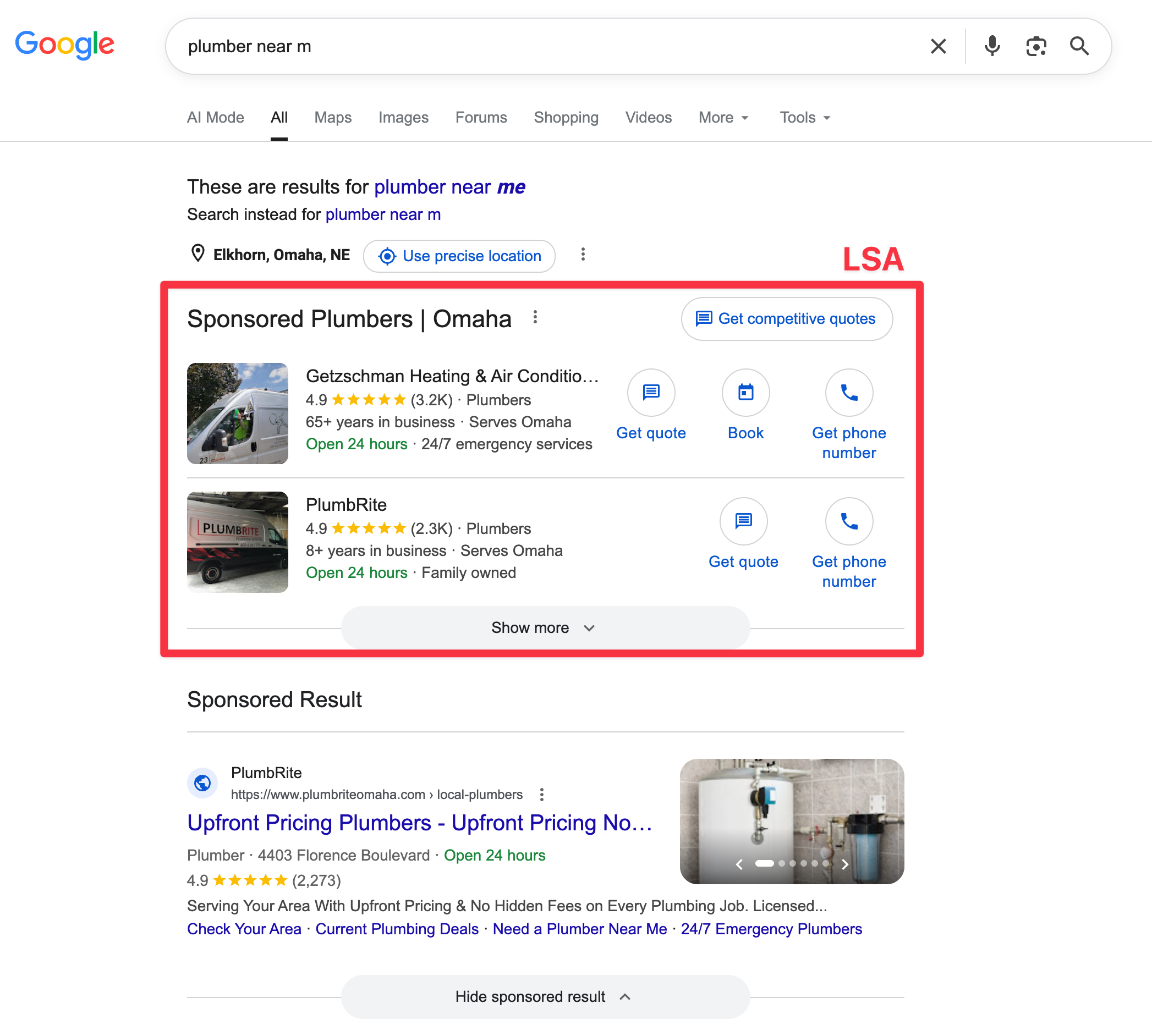
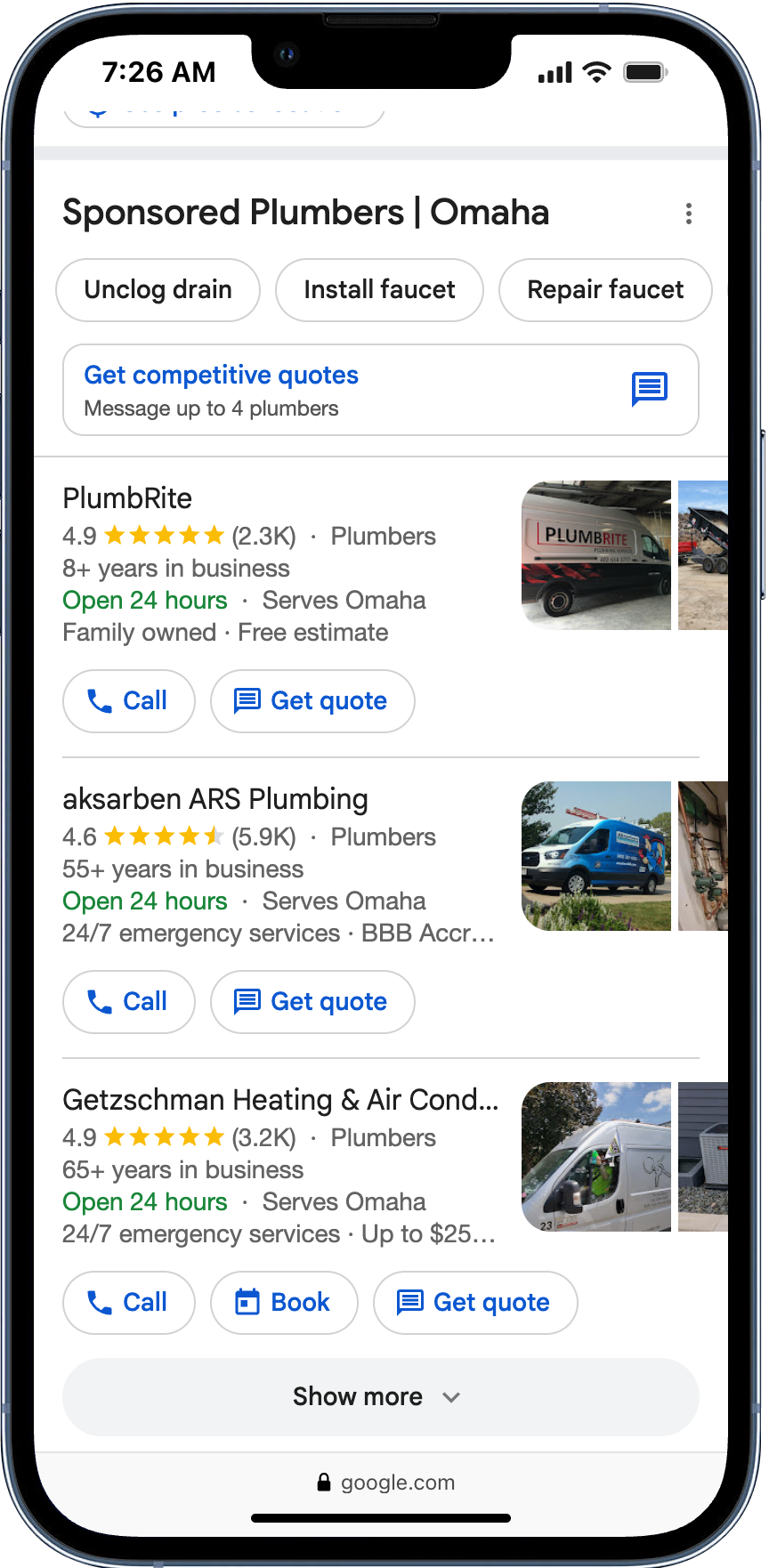
You see two to four businesses at a time, sometimes with a Google Verified badge, star rating, review count, years in business, and a tap-to-call number on mobile.
Tapping anywhere on the listing either dials the business directly or opens a message thread (depending on the lead type the contractor accepts).
An important thing to note about LSAs is that they aren’t an “ad: in the traditional sense.
- We can’t write any ad copy, it just shows the business name
- We arn’t bidding on keywords, we are choosing a business category
What we are essentially doing is paying to show our Google Business Profile at the top.
What that means for you: The better your GBP looks, the better your LSA looks.
How do we set them up?
LSA setup is mostly Google walking you through it. The dashboard tells you what’s missing and what to fix. If you get stuck, Google has a dedicated LSA support line listed inside the dashboard once you create an account. Use it. They’re actually pretty helpful.
Business Verification
Before setting up your profile, we want to get started on business verification. This process could take a few days to a few weeks so we want to get the ball rolling here.
You will ALWAYS need to do: billing set up, background check, and GBP linking.
Other things like submitting your insurance, your license, etc. will be industry and location dependant.
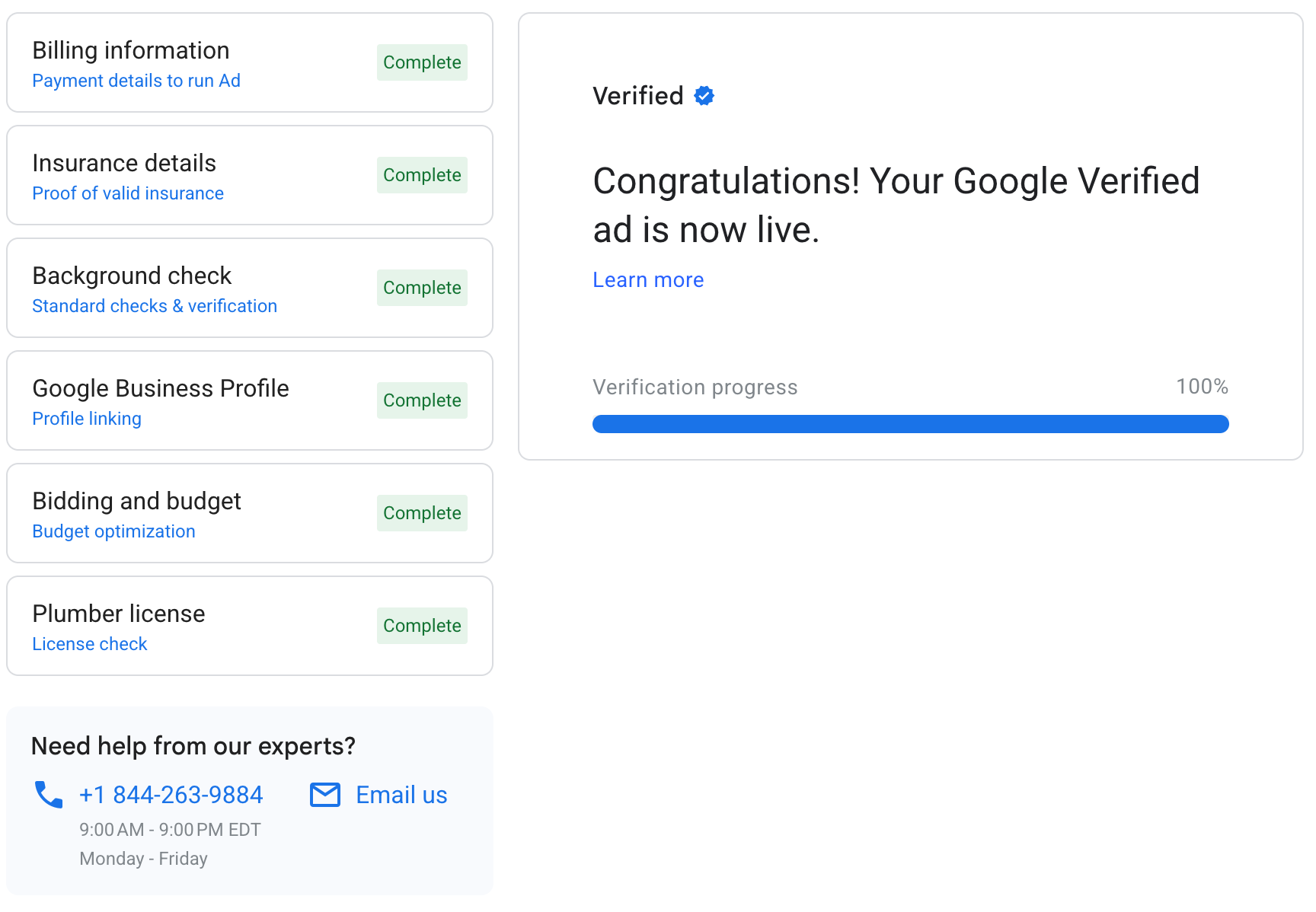
Just make sure you go through this list and get everything marked as “Complete”. If you have issues (which you probably will), call that number.
They help me link the GBP almost every time I set up an LSA account.
Fill out the profile
The most important part here is to not half-ass anything. Just fill out the profile 100%. This will give Google’s Ai more data about your business, and it will make Google more likely to show your LSA.
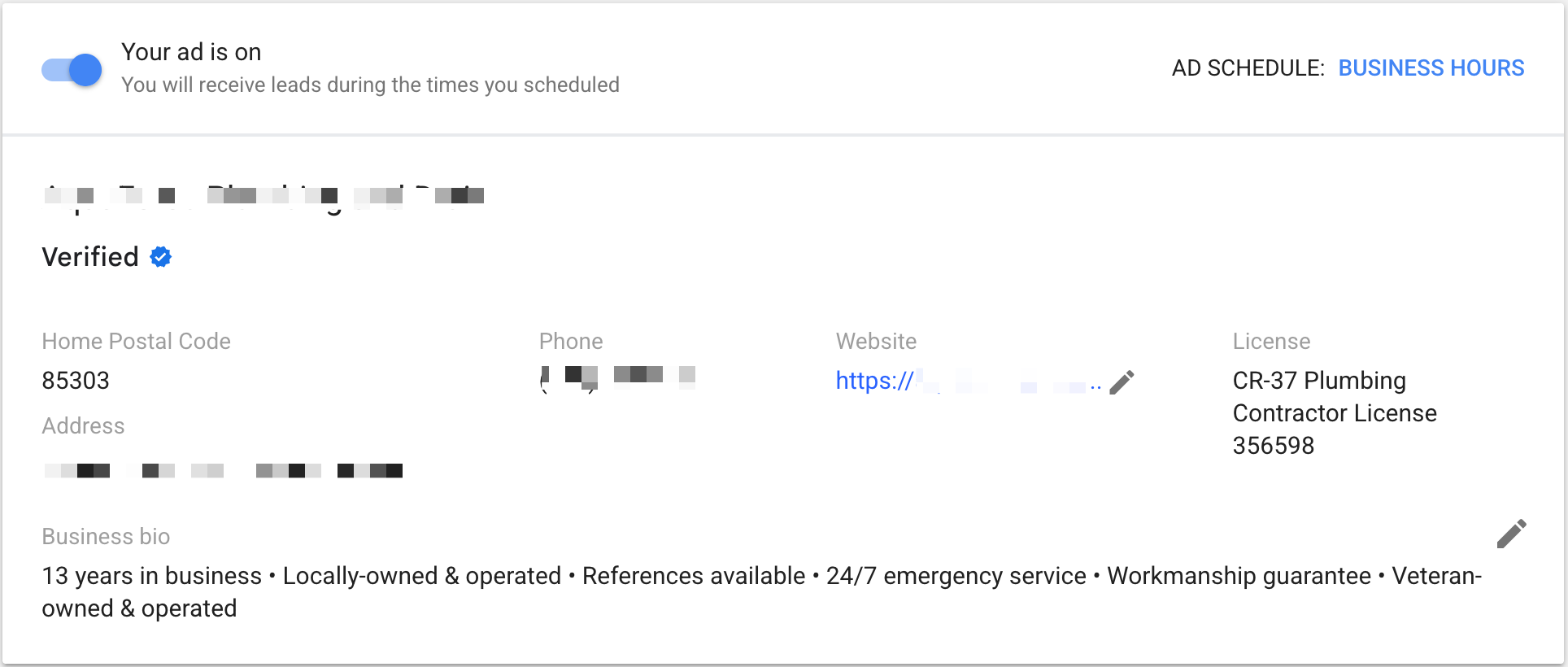
Business bio: Google will let you pick 6 ‘callouts’ from a list of about 20. Make sure you pick different angles for each one. Google will show 2 at a time, so you don’t want 2 that say essentially the same thing.
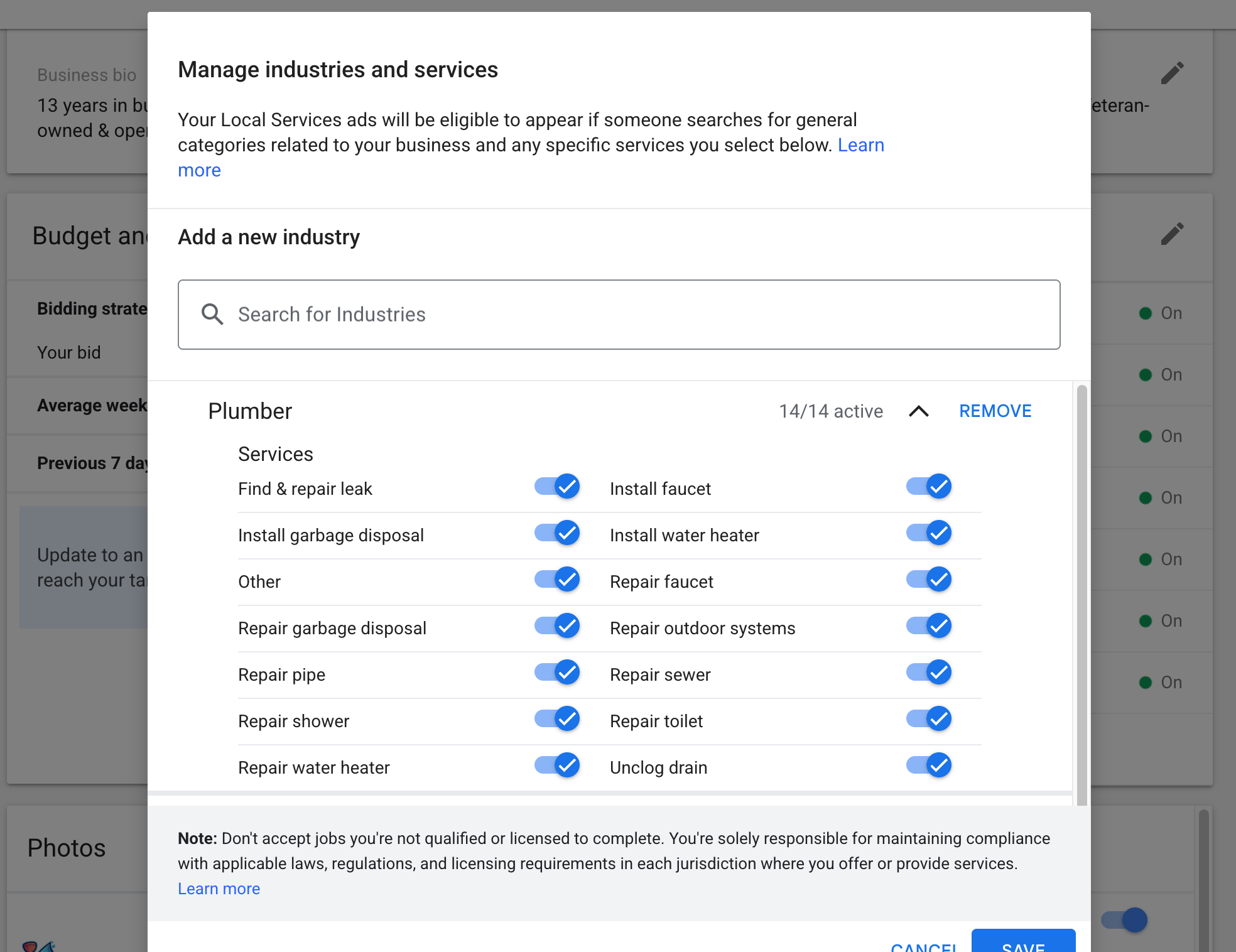
When selecting your job types, I would leave as many on as possible. If it’s something you physically cannot do, or if you are getting junk leads, then you can start disabling some.
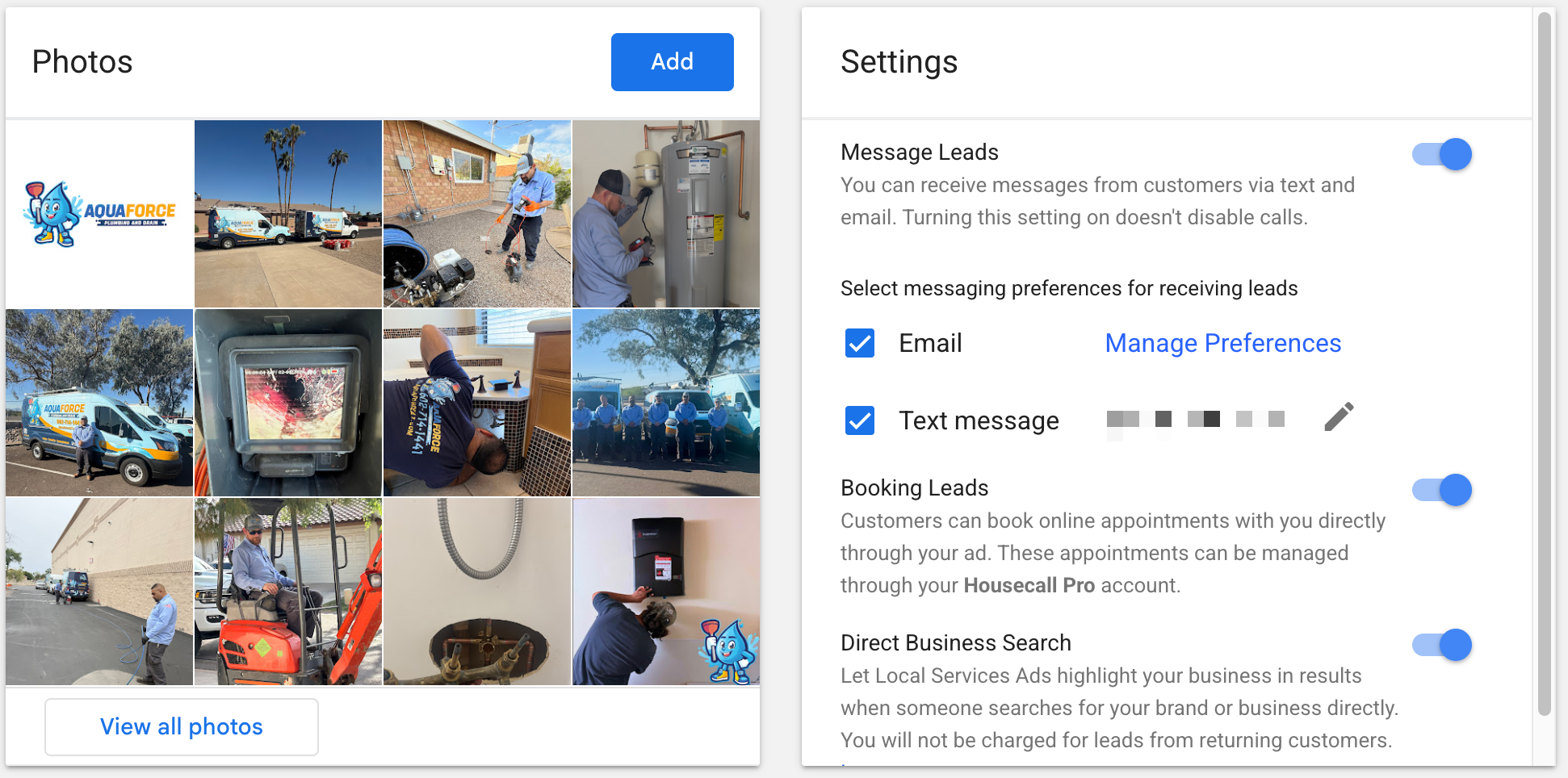
Photos: Real photos of real jobs and REAL PEOPLE. Show your branding, show people working, look professional. The example here is a great example of what good photos look like.
Message Leads: This enables message leads instead of just phone call leads. I would start with this on, because message leads tend to be cheaper. Google has added the ability for people to message multiple contractors at once, so lead quality on message leads has gone down. If you can respond quickly to inbound messages, this is still worth it every time.
Booking Leads: Some CRMs (like Housecall Pro) have the ability to let you get leads booked directly from LSA. This can be a nice bonus if you can set it up, but not at all required.
Direct Business Search I always leave this on. This makes sure that if someone Googles your business name, you always show up at the top.
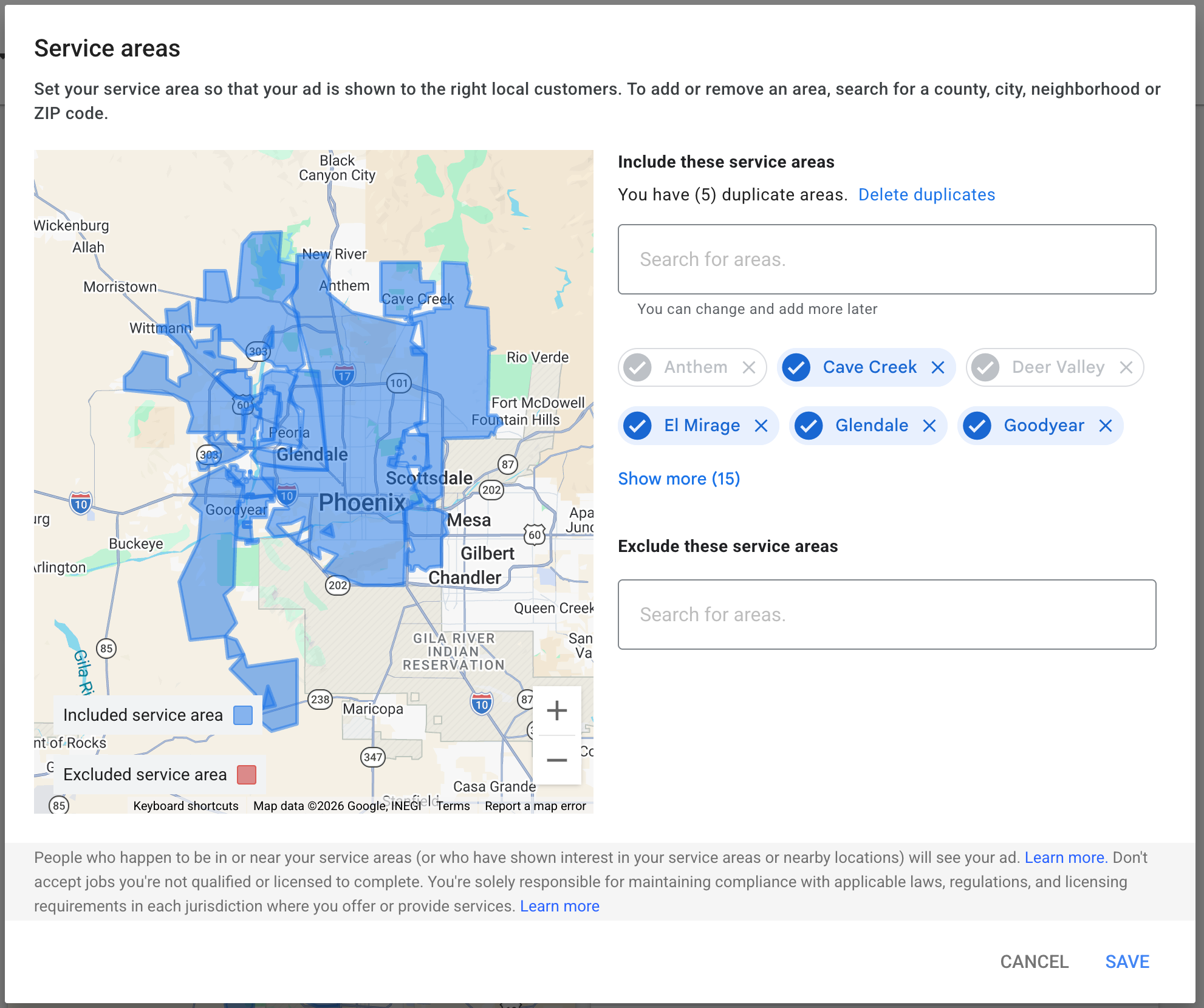
Service area: Use cities or towns as much as possible. You can use zip codes and counties too. If you start to get a lot of ‘out-of-area’ calls, then you can explicitly exclude certain locations. I don’t see this issue come up too often in LSA, but it is a tool you have.
Business hours: Just put your standard business hours. If you have the ability to handle 24/7 calls, then do it. Google LSA favors 24/7 businesses.
Bidding
Two ways to bid:
- Maximize Leads (automated, recommended). Google sets the bid. You set a weekly budget, and Google buys the most leads it can for that budget. This is the default for almost every account we run.
- Max Per Lead (manual). You set a hard cap on what you’re willing to pay per lead. Useful in one specific situation, covered below in the troubleshooting section.
Budget
LSA is per-lead, not per-click. You set a weekly budget, and Google bills each time a qualified call or message comes through. Google recommends a budget that supports at LEAST 10 leads per week so the algorithm has enough data to optimize.
In all honesty… Just set this budget as high as you can. You will not spend it all, especially if you are just starting LSA. You can lower it later if Google is giving you too many leads, but I have clients who have it set to $10k/week but are only spending around $1.5k.
Advanced strategies
If it’s not spending
The most common LSA issue: account is live, budget is set, and it’s just not delivering leads at all. Work the checklist in this order:
- Verification still pending? Most “not spending” issues are actually “not fully live yet.” Open the LSA dashboard and look for any red flags or pending items.
- GBP linked AND verified? If the GBP isn’t verified, the account won’t serve.
- Business hours too narrow? Widen them. LSA only serves during declared business hours.
- Service area too small? Add nearby cities. If you’re a Cincinnati plumber set to only “Cincinnati,” you’re cutting off Norwood, Mount Lookout, Anderson, Northern Kentucky, all of it.
- Categories or job types too restrictive? Loosen up. Don’t pay for jobs you can’t do, but don’t lock yourself out of jobs you CAN do either.
- No reviews on the GBP yet? Performance signals matter. If the GBP has zero reviews, the algorithm doesn’t trust the account yet.
- Performance signals tanking? Missed-call rate too high, slow response time on messages, low call-answer rate. The algorithm reads all of this. If you’re missing half your calls, it stops serving you because Google doesn’t want to send leads to a business that can’t handle them.
If you’ve checked all of those and it’s still not spending, here’s the move we use to force the account out of its hole:
Switch bidding from Maximize Leads to Max Per Lead. Set the bid WAY high. Like, much higher than you’d normally pay per lead. What this does is force Google to actually bid the account into auctions it was skipping. Once leads start flowing and the account warms up, switch back to Maximize Leads at a normal budget.
This is a kickstart move, not a permanent setting. Manual high bids will burn through budget fast if you forget to switch back.
Ongoing management
LSAs are not set-and-forget. The accounts that print money are the ones with operators who do these three things, every week, without fail.
1. Categorize every lead. Inside the LSA dashboard, every lead has to be marked: booked, archived, low-quality, whatever the current categorization options are. Google’s auto-credit system uses these signals to decide what’s a quality lead and what gets credited back to you. Lazy categorization costs money two ways: you pay for junk you don’t credit, and the algorithm gets dirty data so it serves you worse leads.
2. Respond immediately to every lead. Response time is a ranking signal. Sub-5-minute response time on messages, instant pickup on calls. (See Inbound Lead Response System for the full play on every inbound channel.)
3. Pick up the phone.
DON’T MISS PHONE CALLS. EVER.
Call-answer rate is the biggest performance signal LSAs use to rank you. Miss enough calls and the algorithm pulls back delivery. Track your pick-up rate. Multiply by your average cost per lead. That’s the money you threw away. Same math as inbound-lead-response.
Measuring what’s working
LSA leads should flow into the same tracking setup you use for the rest of your Google Ads. Mark which LSA leads became booked jobs. Mark revenue. Push those signals back into Google Ads so the optimization algorithm gets the same closed-loop feedback your Search campaigns get. (See The Conversion Depth Method for the full play.)